February 2006
Intermediate to advanced
826 pages
63h 42m
English
The iframe element is part of
the HTML 4.01 and XHTML 1.0 Transitional DTD. As such, it is also
included in the Frameset DTD, but it is not a frameset-related element.
It is supported by standards-compliant browsers. It is however
deprecated, and the preferred strict alternative is to use the object element instead, its type attribute explicitly set to text/html, and its data attribute set to the URL of the external
document. Inline frames do not work in Netscape 4, but that accounts for
a less than .5% of users as of this writing.
The iframe element places an
external HTML document on a web page in a scrolling window. The src attribute provides the URL of the external
document. The width and height attributes provide the dimensions of
the floating frame. Figure
12-10 shows the resulting inline frame specified in this markup
example.
<body bgcolor="black" text="white"> <h1>Inline (Floating) Frames</h1> <p><iframe src="list.html" width="200" height="100" align="left">Your browser does not support inline frames. Read the list <a href="list. html">here</a>.</iframe></p> <p>Consectetuer adipiscing elit. Sed eu nibh eget magna dictum egestas... </p> </body>
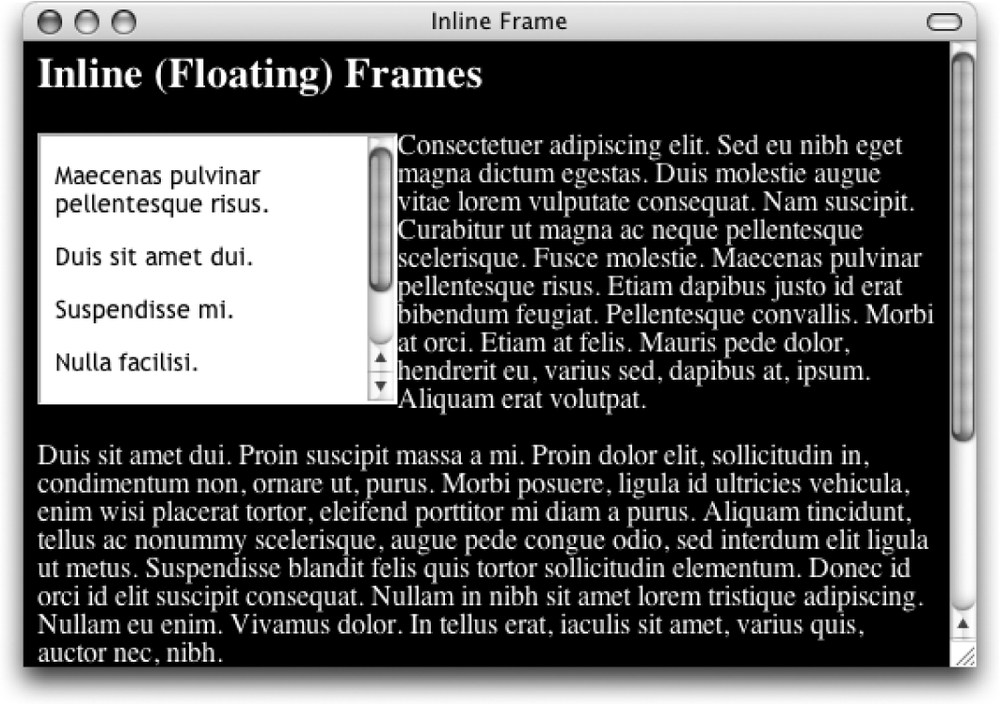
Figure 12-10. Inline (floating) frame
Read now
Unlock full access


 O’Reilly covers everything we've got, with content to help us build a world-class technology community, upgrade the capabilities and competencies of our teams, and improve overall team performance as well as their engagement.I wanted to learn C and C++, but it didn't click for me until I picked up an O'Reilly book. When I went on the O’Reilly platform, I was astonished to find all the books there, plus live events and sandboxes so you could play around with the technology.I’ve been on the O’Reilly platform for more than eight years. I use a couple of learning platforms, but I'm on O'Reilly more than anybody else. When you're there, you start learning. I'm never disappointed.I'm always learning. So when I got on to O'Reilly, I was like a kid in a candy store. There are playlists. There are answers. There's on-demand training. It's worth its weight in gold, in terms of what it allows me to do.