February 2006
Intermediate to advanced
826 pages
63h 42m
English
This field allows the user to enter a single word or a line of text. By default, the browser displays a text-entry box that is 20 characters wide, but you can set it to be any length using the size attribute.
By default, the user can type an unlimited number of characters into the field (the display scrolls to the right if the text exceeds the width of the supplied box), but you can set a maximum number of characters using the maxlength attribute.
Use the value attribute to specify the initial value, that is, the text to appear when the form is loaded. The user can change this default text. If you have a form that consists of only one text input element
, pressing the Enter key submits the form without requiring a specific Submit button in the form. The following markup creates a text field with a size of 15 characters, a maximum length of 50 characters, and the text “enter your name” displayed in the field (Figure 15-2).
    <p>What is your name?</p>
    <input type="text" name="name" size="15" maxlength="50" value="enter your name" />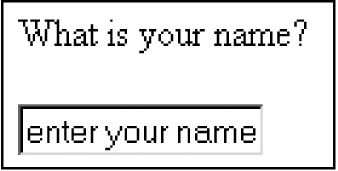
Figure 15-2. Text entry input control