February 2020
Intermediate to advanced
432 pages
10h 50m
English
This plugin allows you to visualize image data that is published in a ROS topic. Kill the previous two terminals and launch the following new ones:
T1 $ roslaunch raspicam_node camerav2_410x308_30fps.launchT2 $ rqt_image_view
In the upper-left drop-down list, select the topic of the image that you want to visualize. It needs to be in compressed format as it is published by raspicam_node. The following screenshot shows the result:
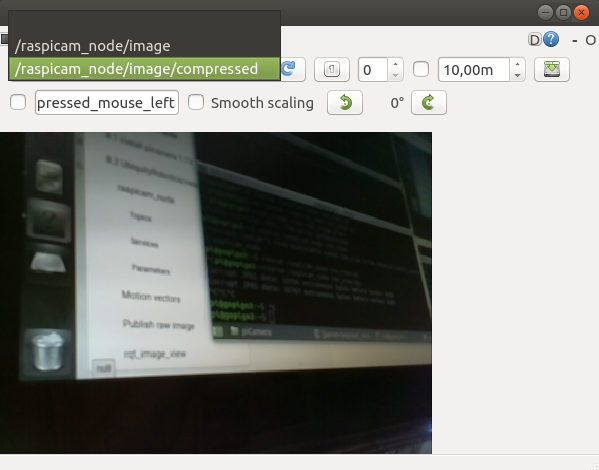
In the event you have several topics with image data, the plugin allows you to interactively select what feed to watch and also change between them on demand.