June 2018
Intermediate to advanced
484 pages
11h 36m
English
ROS Kinetic provides two major GUI tools to manage the logging message rqt_logger_level, to set the logging level of the nodes and rqt_console, which is used to visualize, filter, and analyze the logging messages. In this section, we will learn how to use these tools:
$ roslaunch chapter4_tutorials program3.launch
The following command will start the program3 example node. Alternatively, we could run the rqt_console tool:
$ rosrun rqt_console rqt_console
The following window will be open:
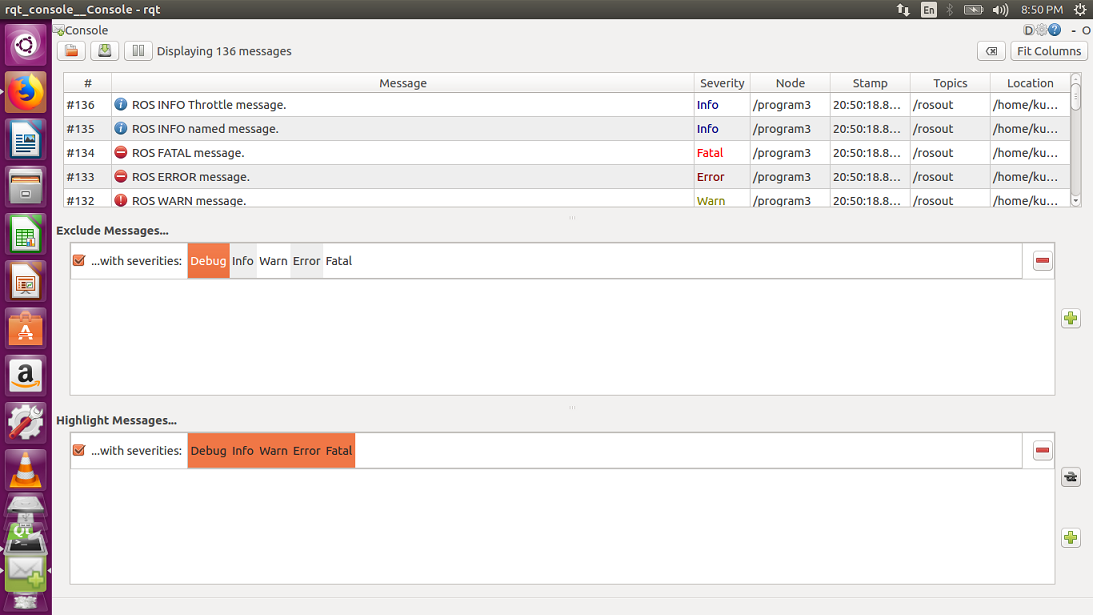
In the preceding screenshot, we can see the logging message in the rqt_console GUI, which is where messages are collected ...