June 2018
Intermediate to advanced
484 pages
11h 36m
English
We will launch rqt_reconfigure by using the following command:
$ rosrun rqt_reconfigure rqt_reconfigure
We will get the same output as that shown in the following screenshot:
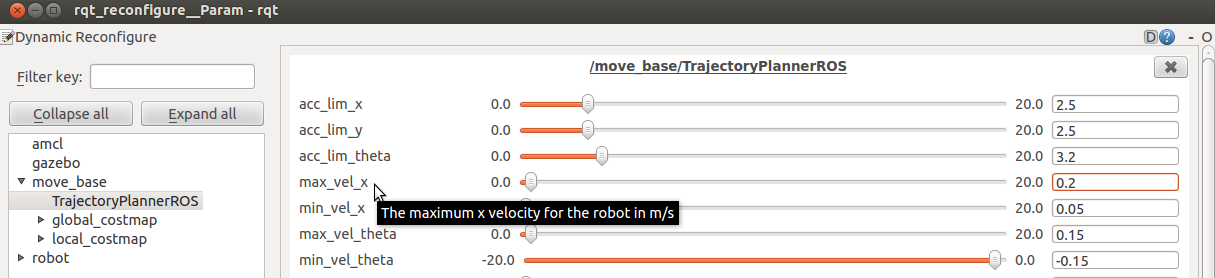
For example, we could change the max_vel_x or max_vel_theta parameters, which are configured in the base_local_planner_params.yaml file.
Moreover, we can view a brief description of the parameter by placing the mouse over the parameter name. This is very useful for finding out the function of each parameter.