March 2006
Intermediate to advanced
304 pages
9h 55m
English
1. | Reset 3ds Max.
|
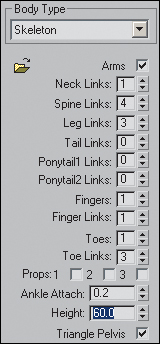
2. | Create a biped with a height of 60 units. When you drag out the biped watch the Height field change as you move your cursor. Stop close to 60, then use the spinner or highlight the field and type in 60.
|
3. | In the Motion Panel, click  Footstep Mode.
|
4. | In the Footstep Creation rollout, click  Create Multiple Footsteps.
|
5. | Set the Number of Footsteps to 10.
|
6. | Set the Actual Stride Width to 4.0, and Actual ... |