March 2006
Intermediate to advanced
304 pages
9h 55m
English
When placing delegates, you have the option of cloning them individually, or scattering them across a surface. The Scatter feature is useful for placing delegates on an irregular surface.
To scatter delegates, select the Crowd helper and click  Scatter in the Setup rollout of the Modify panel. The Scatter Objects dialog appears.
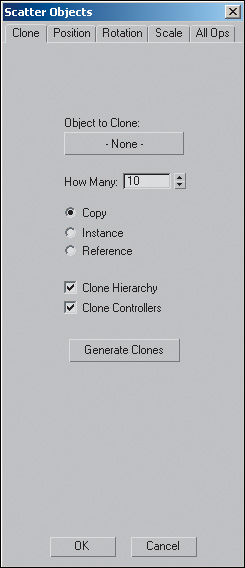
On the Clone tab, you can specify the number and type of clones. On the Position tab, you can choose the object over which to scatter the delegates. The Rotation tab specifies the facing directions of delegates, ...