March 2006
Intermediate to advanced
304 pages
9h 55m
English
You can stack up a series of tracks and weight each one, so that several clips affect a biped to varying degrees. The weight determines how much a clip or transition affects the biped.
To create a stack of tracks, right-click any track and choose one of the Add options from the pop-up menu. Although it’s possible to create a stack of up to 99 tracks, two or three tracks are usually enough.
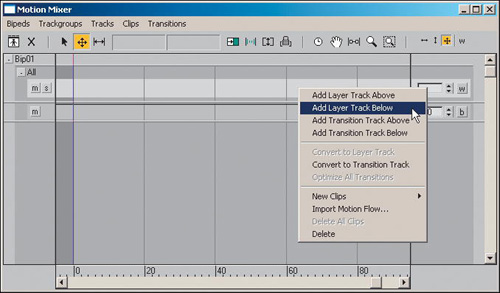
By default, a track has a weight of 1 throughout the animation, but weights can vary from 0 to 1. On a transition track, the weight value applies to the entire track, transition and all. A weight of 1 indicates that a ...