Skip to Content
3ds Max Animation with Biped
book

3ds Max Animation with Biped

by Michele Bousquet, Michael McCarthy
March 2006
Intermediate to advanced
304 pages
9h 55m
English
New Riders
Content preview from 3ds Max Animation with Biped

Creating Transitions

On a Motion Flow Graph, a transition is represented by an arrow going between two clips on the graph. You must create the transitions manually, but you can do so in a number of ways:
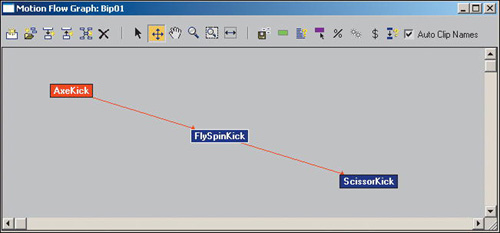
Quicklist: Setting Up Clips and Transitions

  • First, make sure the biped is not in Figure mode.

  • Click Motion Flow Mode on the Motion panel.

  • Click the Show Graph button on the Motion Flow rollout.

  • Click Create Multiple Clips and ...

Become an O’Reilly member and get unlimited access to this title plus top books and audiobooks from O’Reilly and nearly 200 top publishers, thousands of courses curated by job role, 150+ live events each month,
and much more.
Start your free trial

You might also like

Deconstructing the Elements with 3ds Max, 3rd Edition

Deconstructing the Elements with 3ds Max, 3rd Edition

Pete Draper

Publisher Resources

ISBN: 0321375726Purchase book