March 2006
Intermediate to advanced
304 pages
9h 55m
English
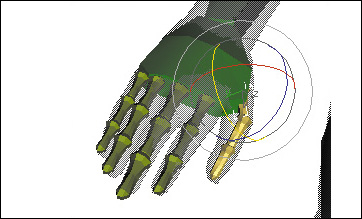
Next, you’ll pose the fingers. Since our biped won’t be doing any detailed finger movements, we can take the easy way out and just roughly pose them.
1. | In the Top viewport, zoom in on the hand of the arm you’ve been working with.
|
2. | Move the base of each finger joint to the base of the corresponding finger on the mesh.
|
3. | Rotate the base of each finger so that it matches the direction of the finger.
As you rotate the biped fingers, you might find that the finger base has to be moved again in order to make the finger fall inside the mesh finger.
|
4. | In the Top viewport, scale the width of each finger joint to slightly smaller ... |