March 2013
Intermediate to advanced
1032 pages
33h 29m
English
AutoCorrect has remained fairly consistent in terms of its configuration and function, and in Word 2013 it still automatically corrects commonly misspelled words, including words that you add to it. It also corrects issues such as initial caps, automatically capitalizes the first letter of the first word in a sentence, and automatically capitalizes the names of days of the week.
You can access the AutoCorrect dialog box (see Figure 7.23) from the Word Backstage. Select File and then Options. In the Word Options window, select Proofing and then click the AutoCorrect Options button.
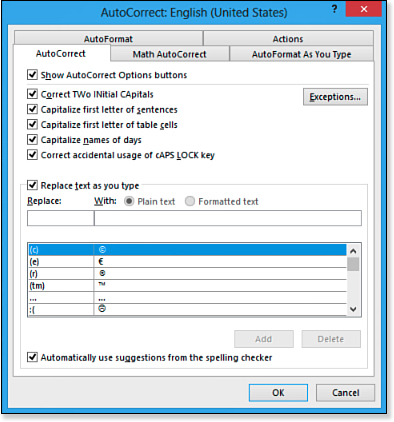
Figure 7.23. The AutoCorrect dialog box. ...