March 2013
Intermediate to advanced
1032 pages
33h 29m
English
An extremely useful tool for managing, reordering, and fine-tuning the animations that you have assigned to the slide objects on a particular slide is the Animation pane. The Animation pane lists all the animations that have been assigned to objects on the current slide. To open the Animation pane, select the Animation Pane command in the Advanced Animation group. Figure 20.11 shows a presentation in Normal view with the Slide pane present on the right side of the PowerPoint workspace.
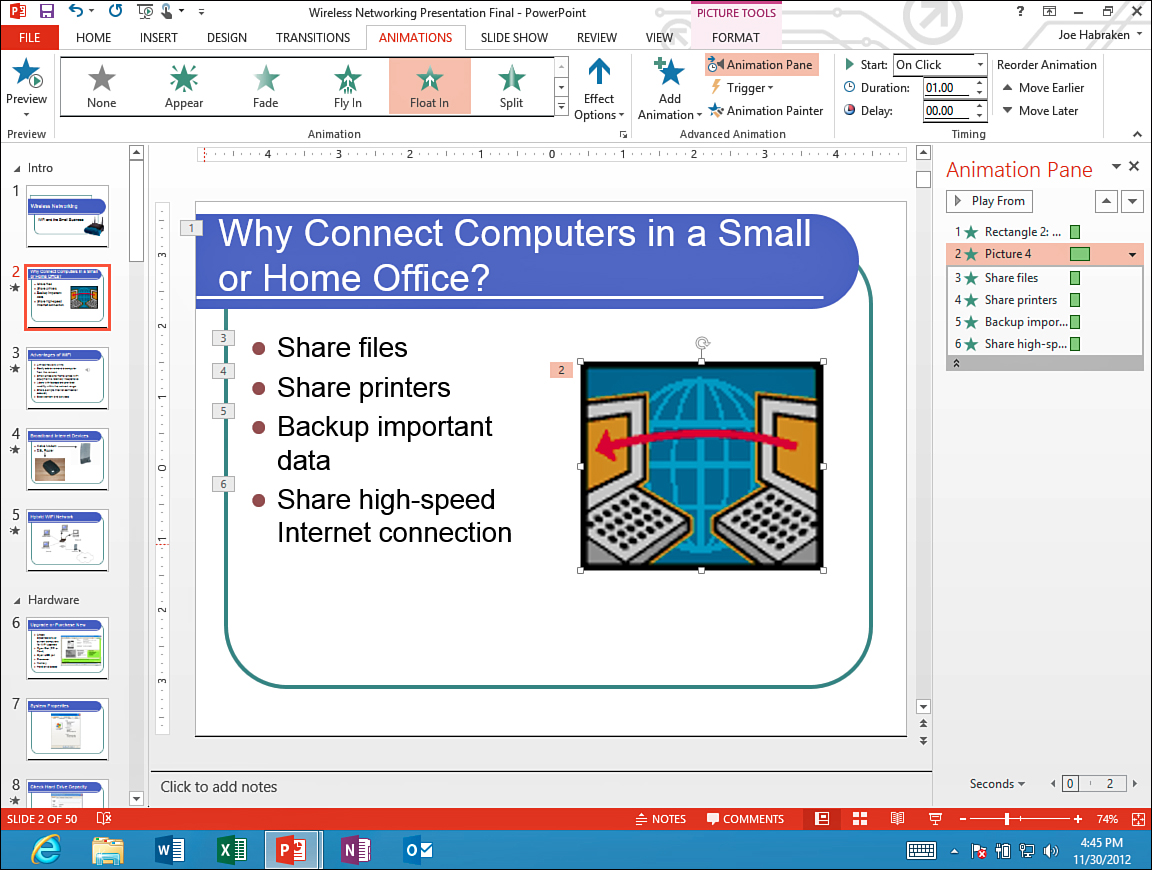
Figure 20.11. Slide with assigned animations and the Animation pane.
You can use the Slide pane to accomplish a variety of animation-management ...