March 2013
Intermediate to advanced
1032 pages
33h 29m
English
You can also create your database table by selecting a table style in the Table Styles gallery, which is accessed via the Format as Table command on the Ribbon’s Home tab. This enables you to specify your table range and pick a table style—all pretty much at the same time.
Select the cell range for the table. Then select the Format as Table command in the Styles group on the Ribbon’s Home tab. The Table Styles gallery appears, as shown in Figure 15.2.
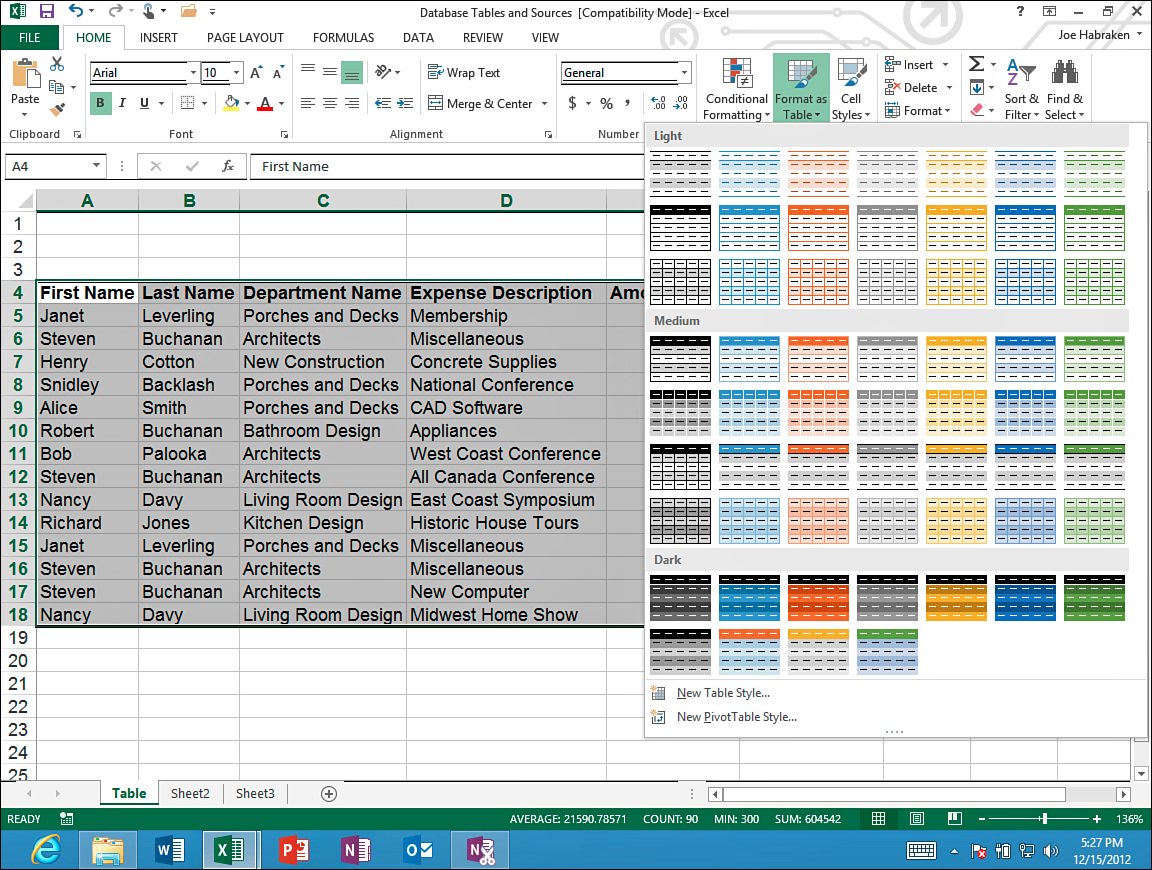
Figure 15.2. The Table Styles gallery.
Select one of the table styles in the gallery. When you select the style, the Table Styles gallery closes and the Format as Table ...