March 2013
Intermediate to advanced
1032 pages
33h 29m
English
You can use the Tags Summary pane to quickly list the tags that you have used in a notebook or notebooks. This enables you to view tagged notes by the tag type you assigned to a note or notes. You also can use a tagged note listed in the Tags Summary pane to immediately move to the page that contains that particular tagged note.
To open the Tags Summary pane, select the Find Tags command in the Tags group on the Ribbon’s Home tab. The Tags Summary pane opens, as shown in Figure 30.18.
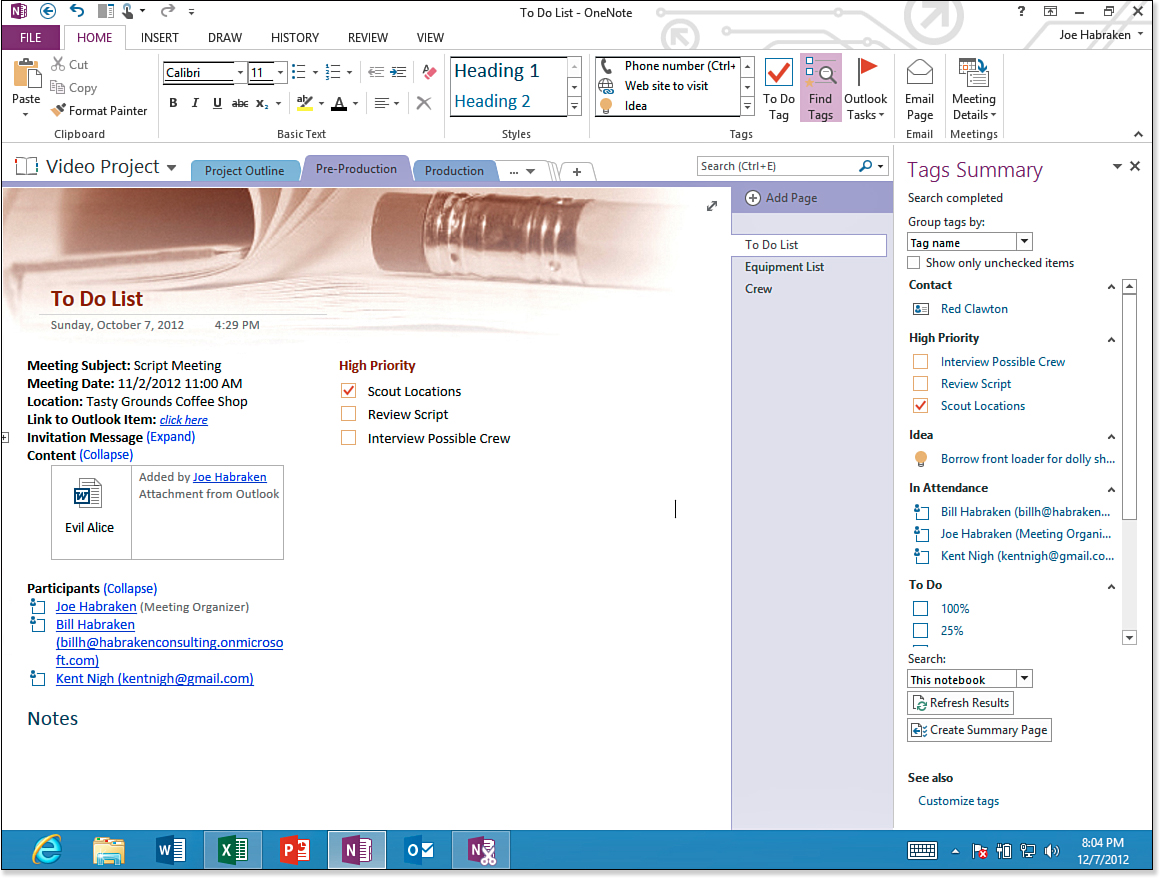
Figure 30.18. The Tags Summary pane.
The tagged notes in the current notebook are listed and grouped by tag name. You can use the Group tags ...